 mottle
Collect fireflies

A browser game by Star Lord · 2026
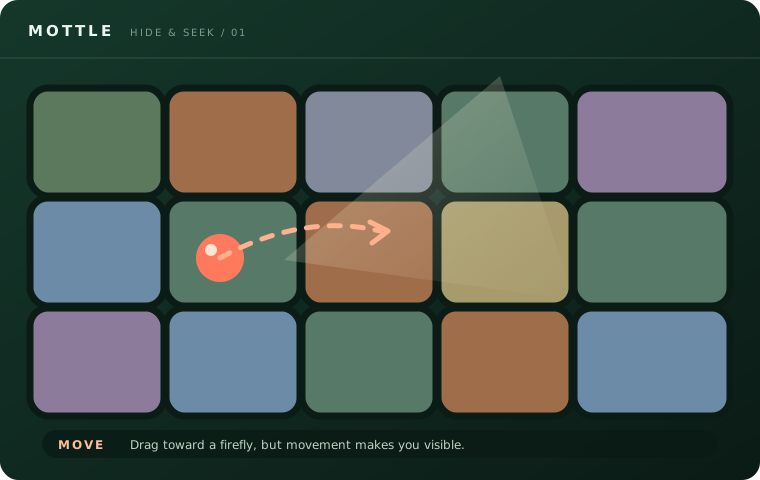
Collect fireflies. Stop to camouflage. Stay out of the Seekers’ light.
Drag with a mouse or one finger. Release before the light reaches you.
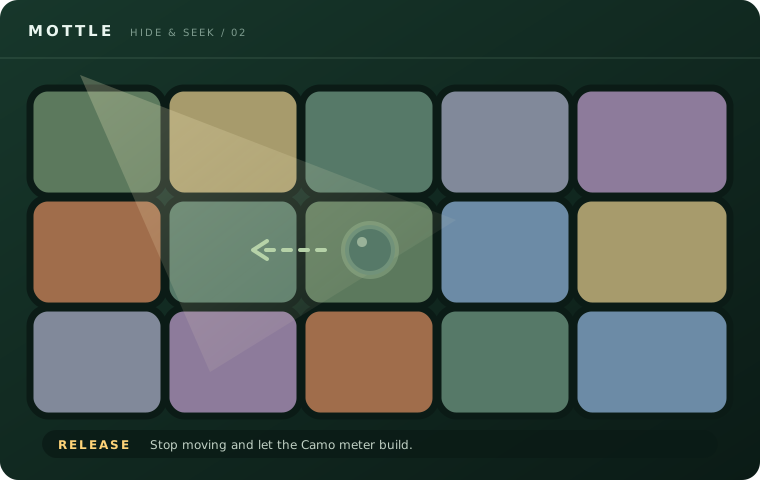
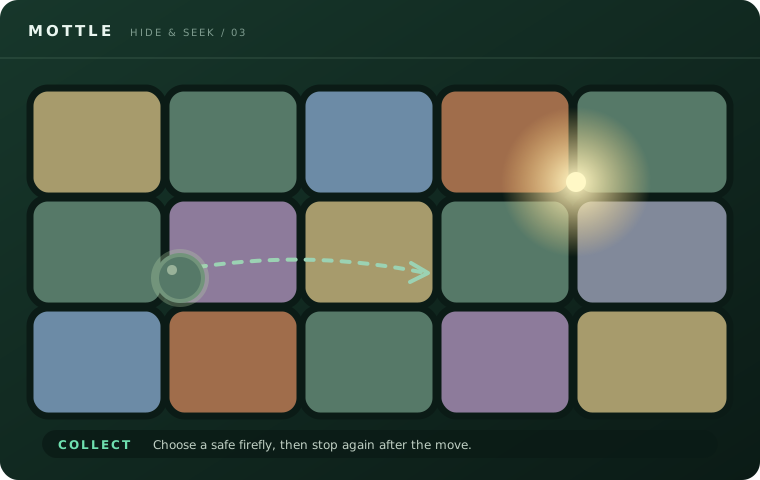
Give the Camo meter time to build. If Alert rises, stop moving and wait for the Seeker to pass.
Read the controlsRules, routes and help getting the game to run.
Meet Mottle, its creator and the camouflage mechanic.
Fireflies, detection, scoring and the end of a run.
Choose a route and leave enough time to blend.
Start the game and troubleshoot a blank play area.
Touch controls, browser support and download questions.
Answers about access, controls and the original game.
The original game runs on 8x.gg. This is an independent guide.
Yes. Drag with one finger to move. Release to camouflage.
Mottle runs in your browser. This guide does not distribute an APK.
Try the original game in a separate tab.
Open originalStar Lord created Mottle — Hide & Seek, hosted on 8x.gg.
See the creator listingMottle is a browser hide-and-seek game by Star Lord. You score by collecting fireflies while Seekers sweep their lights across the board. When you drag, your character stands out against the tiles. When you let go and stay still, it starts to take on the color of the tile beneath it. A short trip followed by a pause is enough to get through your first encounter.
Play Mottle in your browser, then tap or click inside the game to start. The first time you play, use one firefly as your goal. Watch where the nearest light is going, move while your path is clear, and release as soon as you reach a place where you can wait. The controls guide includes three illustrated examples of that sequence.
Camo tells you how well your character has blended with the ground. Give it time to rise after you release. If a Seeker is coming your way, an early stop gives you more time to blend than a stop right at the edge of the beam.
Alert tells you how close you are to being caught. If it starts to climb, release and check which way the beam is sweeping before you move again. A rising Alert meter is easy to miss when your eyes are on a firefly. Get into the habit of glancing at it after each move, especially if you crossed a tile just as a beam passed. The Mottle rules guide explains detection and how rounds progress.
Suppose two fireflies are visible. One is close but sits where a light is about to pass, and the other is farther away along a clear row. You can wait for the beam to pass the close firefly, then collect it in one drag. If the open row gives you time for a short first move, stop partway across it and reassess from there. You can change the plan after every release.
Use the light's direction as well as its current position. A beam moving away from you can leave an opening, even if the tile you want was lit a moment ago. A clear tile can become dangerous during a long diagonal drag. When you reach a firefly, lift your finger or release the mouse before deciding what to do next. See the strategy guide for more on choosing a route.
Try moving once and then watching the Camo meter while you wait. When a Seeker goes by, compare what happens to Alert while you are still with what happens when you drag across the board. That gives you a reference for later rounds, when you have less time to weigh each move. In a later round, stick with the same routine and choose shorter trips if you find yourself moving for too long.
If a run ends quickly, think back to the move that raised Alert. You may have started too late, held the drag too long, or changed direction while exposed. On the next run, change one of those decisions. Try releasing one tile earlier, for example, and see if the extra time gives Camo a chance to recover.
On a computer, press and drag inside the game area with your mouse. Release the button to stop. On a phone or tablet, drag with one finger and lift it to stop. The guide and game share the page, so put your finger inside the game frame before dragging. Use the in-game pause button for a break. On a keyboard, the guide also lists Esc and P as pause controls.
The browser and mobile guide explains the difference between the browser game and the 8x platform app. The embedded game loads when you choose Play Mottle, and it needs an internet connection. If the game has loaded but is waiting on its title screen, tap or click the play field.
Wait for the embedded player to connect. If the game area stays blank, open the original game in a separate tab. If it works there, you can finish the run in that tab and return here for the controls. If the host shows an access prompt, follow the instructions there. Star Lord and 8x.gg host the game. This site is an independent guide. The online play guide covers more loading questions.